


Tauri has rapidly emerged as a compelling alternative for building cross-platform desktop applications, lauded for its security, performance, and significantly smaller bundle sizes compared to competitors like Electron. By leveraging an operating system’s native webview and a Rust backend, Tauri allows developers to build robust applications using familiar web technologies. This approach has garnered significant attention in communities surrounding frameworks like React, Vue.js, and Svelte. However, as applications grow in complexity, the need for sophisticated, professional-grade debugging and performance analysis tools becomes paramount. The standard developer tools, while useful, often fall short when diagnosing issues that span the JavaScript frontend and the Rust core. A new wave of advanced tooling is rising to meet this challenge, promising a unified and deeply insightful debugging experience that is set to redefine productivity for Tauri developers. This evolution is a critical piece of Tauri News, signaling the framework’s maturation into a top-tier choice for serious application development.
The Foundation: Understanding Tauri’s Debugging Model
To appreciate the significance of advanced tooling, it’s essential to first understand the standard debugging workflow in a Tauri application. The architecture is fundamentally bipartite: a frontend user interface rendered in a webview and a backend core process written in Rust. These two parts communicate asynchronously via an Inter-Process Communication (IPC) bridge. This separation is key to Tauri’s security and performance but also introduces unique debugging challenges.
Enabling the Standard WebView DevTools
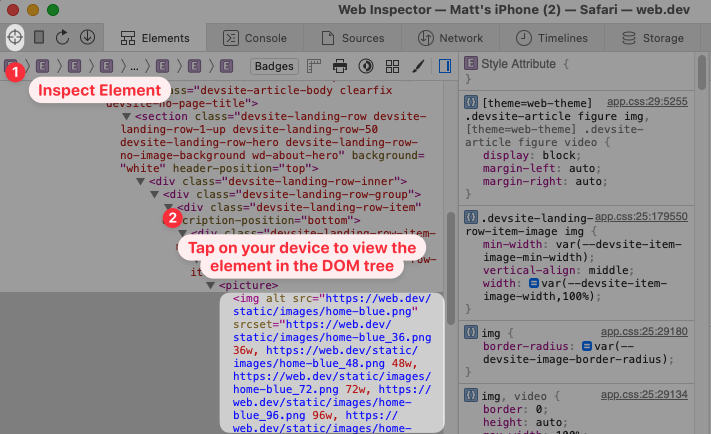
Out of the box, Tauri allows you to enable the native web inspector for your chosen webview (e.g., WebView2 DevTools on Windows, WebKit Inspector on macOS). This is the first line of defense for any frontend developer. Enabling it is a simple configuration change in your tauri.conf.json file. This provides access to familiar tools like the JavaScript console, element inspector, network tab, and performance profiler for the frontend context.
{
  "build": {
    "beforeDevCommand": "npm run dev",
    "beforeBuildCommand": "npm run build",
    "devPath": "http://localhost:1420",
    "distDir": "../dist"
  },
  "tauri": {
    "allowlist": {
      "all": false
    },
    "bundle": {
      "active": true
    },
    "security": {
      "csp": null
    },
    "windows": [
      {
        "fullscreen": false,
        "resizable": true,
        "title": "my-tauri-app",
        "width": 800,
        "height": 600
      }
    ],
    "macOSPrivateApi": false,
    "updater": {
      "active": false
    },
    "devtools": true
  }
}
While invaluable for UI development and debugging frontend logic within frameworks like those generating React News or Vue.js News, these tools have a critical blind spot: they have no visibility into the Rust process. Developers are left to debug the backend using traditional Rust methods like println! macros or logging libraries such as tracing, leading to a disjointed experience where you’re constantly switching between browser logs and a terminal window.
The Next Generation: Integrated DevTools for Full-Stack Insight
The latest Tauri News revolves around the emergence of advanced, integrated developer tools designed specifically for its unique architecture. These tools go beyond the webview inspector to provide a holistic view of the entire application, bridging the gap between the frontend and the Rust backend. They offer features that were previously impossible, transforming debugging from a fragmented chore into a streamlined, powerful process.
Visualizing the IPC Bridge
One of the most powerful features of these new tools is the IPC inspector. Every time your JavaScript frontend communicates with the Rust backend using invoke, or when Rust emits an event to the frontend, the IPC inspector captures, logs, and visualizes this traffic. This is a game-changer for debugging data flow, argument serialization, and error handling between the two layers.
Imagine a scenario where you have a Rust command to greet a user. In your Rust code, you define the command:
// in src-tauri/src/main.rs
#[tauri::command]
fn greet(name: &str) -> String {
if name.is_empty() {
// This kind of logic is hard to debug without insight
return "Please provide a name!".to_string();
}
format!("Hello, {}! You've been greeted from Rust!", name)
}
fn main() {
tauri::Builder::default()
.invoke_handler(tauri::generate_handler