


Unlocking the Next Dimension of Web Development with Babylon.js
In the ever-evolving landscape of web development, the line between native applications and browser-based experiences continues to blur. One of the most exciting frontiers in this evolution is real-time 3D graphics. For years, this domain was complex and inaccessible to many web developers. However, frameworks like Babylon.js have been instrumental in democratizing 3D content creation for the web. Babylon.js is a powerful, open-source rendering engine that leverages WebGL and WebGPU to bring stunning, interactive 3D experiences to any browser with remarkable ease and performance.
Much like the constant stream of updates we see in the React News and Vue.js News cycles, the 3D web ecosystem is also in a state of rapid innovation. The release of major versions, such as Babylon.js 4.2, marks a significant leap forward, often focusing on a core theme of simplifying complexity and empowering developers. This update, in particular, reimagines core functionalities to make building sophisticated scenes more intuitive than ever before. This article provides a comprehensive technical deep dive into the pivotal features introduced, exploring how they streamline workflows, enhance visual fidelity, and integrate seamlessly into the modern web development stack, which includes tools covered in Vite News and frameworks discussed in Next.js News.
Core Concepts Reimagined: The New Physics Plugin System
One of the most significant architectural shifts in Babylon.js 4.2 was the introduction of a version-agnostic physics plugin system. Previously, integrating a physics engine required a tighter coupling with the Babylon.js version. This new approach abstracts the physics implementation, allowing developers to plug in different physics engines like Cannon.js, Oimo.js, or the powerful, WebAssembly-based Ammo.js (a direct port of the Bullet physics engine) with minimal friction. This modularity not only offers flexibility but also future-proofs projects, making it easier to adopt new or updated physics libraries as they become available.
Enabling a Physics Engine
Activating physics in a scene is now a straightforward process of enabling it and providing an instance of the desired engine plugin. This design pattern is a testament to the framework’s commitment to simplicity and developer experience, a trend we also see in the evolution of tools like ESLint News and frameworks like Svelte News.
Let’s look at a practical example of setting up a basic scene with gravity and adding two physics-enabled objects: a static ground plane and a dynamic sphere that falls onto it. This example will use the Ammo.js plugin.
// Note: You must first load the Ammo.js library in your HTML file
// <script src="https://cdn.babylonjs.com/ammo.js/build/ammo.js"></script>

async function createPhysicsScene(engine, canvas) {
    const scene = new BABYLON.Scene(engine);

    // Create camera and light
    const camera = new BABYLON.FreeCamera("camera", new BABYLON.Vector3(0, 5, -10), scene);
    camera.setTarget(BABYLON.Vector3.Zero());
    camera.attachControl(canvas, true);
    const light = new BABYLON.HemisphericLight("light", new BABYLON.Vector3(0, 1, 0), scene);

    // Initialize the Ammo.js physics plugin
    await Ammo(); // Wait for Ammo to be initialized
    const ammoPlugin = new BABYLON.AmmoJSPlugin();
    scene.enablePhysics(new BABYLON.Vector3(0, -9.81, 0), ammoPlugin);

    // Create a sphere
    const sphere = BABYLON.MeshBuilder.CreateSphere("sphere", { diameter: 1 }, scene);
    sphere.position.y = 4;
    // Create a physics impostor for the sphere (dynamic)
    sphere.physicsImpostor = new BABYLON.PhysicsImpostor(sphere, BABYLON.PhysicsImpostor.SphereImpostor, { mass: 1, restitution: 0.9 }, scene);

    // Create a ground plane
    const ground = BABYLON.MeshBuilder.CreateGround("ground", { width: 10, height: 10 }, scene);
    // Create a physics impostor for the ground (static)
    ground.physicsImpostor = new BABYLON.PhysicsImpostor(ground, BABYLON.PhysicsImpostor.BoxImpostor, { mass: 0, restitution: 0.9 }, scene);

    return scene;
}
In this snippet, `scene.enablePhysics()` is the key. We pass it the gravity vector and an instance of `BABYLON.AmmoJSPlugin`. From there, we create `PhysicsImpostor` instances for our meshes, defining their shape, mass, and other physical properties. A mass of `0` makes an object static, perfect for grounds and walls.
Advanced Rendering and Visual Fidelity
Beyond physics, Babylon.js 4.2 introduced powerful tools that put AAA-quality rendering techniques directly into the hands of web developers. These features allow for the creation of visually stunning and realistic scenes that were previously difficult to achieve without deep expertise in shader programming.
The Node Material Editor
Perhaps the most transformative feature is the Node Material Editor (NME). It is a browser-based visual programming tool that allows developers and artists to create complex shaders by connecting nodes in a graph. This abstracts away the complexity of writing GLSL (OpenGL Shading Language) code by hand. The final material can be saved as a JSON file and loaded directly into a Babylon.js scene. This workflow is a game-changer, enabling rapid prototyping and collaboration between technical and creative team members. It mirrors the kind of tooling advancements seen in the Three.js News community and empowers developers who may not be shader experts.
Loading a material created with the NME is incredibly simple:
async function applyNodeMaterial(scene, mesh) {
    // Create a new NodeMaterial instance
    const nodeMaterial = new BABYLON.NodeMaterial("myNodeMaterial", scene);

    try {
        // Load the material from a JSON file (created in the NME)
        await nodeMaterial.loadAsync("https://assets.babylonjs.com/materials/node/simplePBR.json");

        // Compile the material
        nodeMaterial.build(false);

        // Apply the material to the mesh
        mesh.material = nodeMaterial;
        console.log("Node Material applied successfully!");
    } catch (e) {
        console.error("Failed to load or apply Node Material:", e);
    }
}
Screen Space Reflections (SSR)
To further push visual realism, the update introduced a robust Screen Space Reflections (SSR) post-processing pipeline. SSR is a technique used to create realistic reflections on surfaces by reusing information already on the screen (the depth and color buffers). It is particularly effective for creating reflections on wet floors, polished surfaces, or puddles without the high performance cost of other techniques like reflection probes. Integrating it into a scene is as simple as creating the rendering pipeline and attaching it to the scene’s cameras.
function enableScreenSpaceReflections(scene, camera) {
    // Create the SSR post-process pipeline
    const ssrRatio = 0.5; // Render SSR at 50% of the screen resolution for performance
    const ssr = new BABYLON.SSRRenderingPipeline(
        "ssr",      // The name of the pipeline
        scene,      // The scene to attach to
        [camera],   // The list of cameras to attach to
        false,      // Force geometry buffer generation
        BABYLON.Constants.TEXTURETYPE_UNSIGNED_INT
    );

    // Configure SSR properties for desired effect
    ssr.strength = 0.8;
    ssr.reflectionSpecularFalloffExponent = 3;
    ssr.step = 1;
    ssr.blurDispersionStrength = 0.1;

    console.log("Screen Space Reflections enabled.");
    return ssr;
}
This code creates and configures the SSR pipeline. By tweaking properties like `strength` and `blurDispersionStrength`, you can achieve a wide range of reflective effects, from sharp mirror-like surfaces to blurry, diffused reflections.
Ecosystem Integration: Babylon.js in the Modern Web Stack
A 3D engine doesn’t exist in a vacuum. Its ability to integrate with popular frontend frameworks and tools is crucial for its adoption. The latest updates to Babylon.js have strengthened its position within the broader JavaScript ecosystem, which includes news from communities like Angular News, Node.js News, and TypeScript News.
Using Babylon.js with React
The component-based architecture of frameworks like React, Vue, and Svelte is a natural fit for managing complex 3D scenes. The community-driven library `react-babylonjs` provides a set of React components that map directly to Babylon.js objects, allowing developers to build scenes declaratively using JSX. This approach brings the benefits of React’s state management, lifecycle methods, and component model to 3D development.
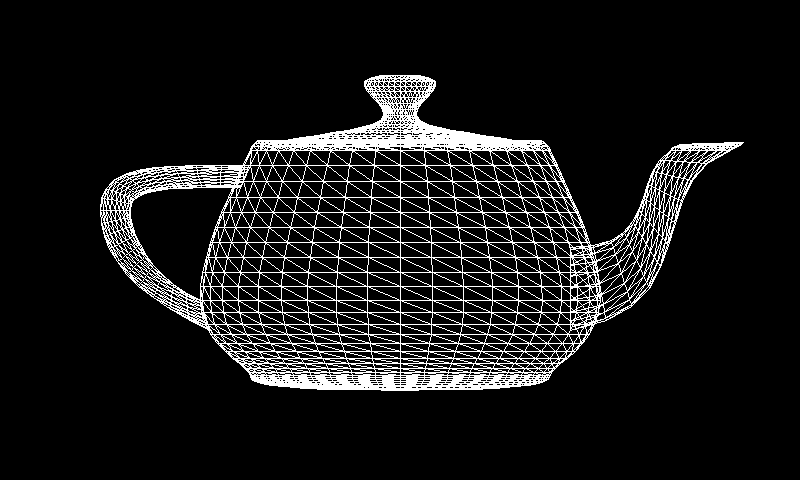
Here is an example of a simple React component that renders a spinning box within a Babylon.js scene.
import React, { useRef } from 'react';
import { Engine, Scene, Box, ArcRotateCamera, HemisphericLight } from 'react-babylonjs';
import { Vector3, Color3 } from '@babylonjs/core';

const SpinningBox = () => {
    const boxRef = useRef(null);

    // useFrame hook can be used for animations
    // useFrame(() => {
    //   if (boxRef.current) {
    //     boxRef.current.rotation.y += 0.01;
    //   }
    // });

    return (
        <Box name="box" ref={boxRef} size={2} position={new Vector3(0, 1, 0)}>
            <standardMaterial name="mat" diffuseColor={Color3.Yellow()} specularColor={Color3.Black()} />
        </Box>
    );
};

const MyScene = () => (
    <div>
        <Engine antialias adaptToDeviceRatio canvasId="babylon-canvas">
            <Scene>
                <ArcRotateCamera
                    name="camera"
                    target={Vector3.Zero()}
                    alpha={Math.PI / 2}
                    beta={Math.PI / 4}
                    radius={8}
                />
                <HemisphericLight name="light" direction={new Vector3(1, 1, 0)} />
                <SpinningBox />
            </Scene>
        </Engine>
    </div>
);

export default MyScene;
This declarative syntax is a powerful abstraction. Instead of writing imperative code to create and position each element, you describe the scene’s structure with components. This aligns perfectly with modern web development practices and makes it easier to manage state and complexity, a topic frequently discussed in RedwoodJS News and Blitz.js News.
Best Practices and Performance Optimization
With great power comes the need for great optimization. Building high-performance 3D web applications requires attention to detail and an understanding of how the rendering engine works. Here are some key best practices to keep in mind:
1. Master the Inspector
Babylon.js comes with a powerful, built-in debugging tool called the Inspector. You can activate it in any scene by calling `scene.debugLayer.show()`. The Inspector allows you to view the scene graph, modify object properties in real-time, inspect materials and textures, and even analyze performance metrics. It is an indispensable tool for both development and optimization.
2. Manage Your Assets
Use the glTF 2.0 file format for your 3D models. It is the industry standard for transmitting 3D scenes and models, often referred to as the “JPEG of 3D.” It is efficient, compact, and fully supported by Babylon.js. Use tools like the Babylon.js Sandbox to preview and validate your glTF files before integrating them into your application.
3. Optimize Draw Calls
Every object that needs to be drawn on the screen is a “draw call.” Too many draw calls can create a bottleneck and lower your frame rate. Use techniques to reduce them:
- Instanced Meshes: If you need to render many identical objects (like trees in a forest or bullets in a game), use instanced meshes. This tells the GPU to draw the same geometry multiple times with different positions/rotations/scales in a single draw call.
- Merge Meshes: For static objects that don’t need to be manipulated individually, consider merging them into a single mesh to reduce draw calls.
4. Leverage Modern Tooling
Integrate Babylon.js into a modern build pipeline using tools like Vite or Webpack. These bundlers support tree-shaking, which can significantly reduce your final bundle size by only including the parts of the Babylon.js library that you actually use. This is critical for fast initial load times. Following trends in Webpack News and Turbopack News can provide insights into optimizing large-scale applications.
Conclusion: The Future is 3D and Accessible
The advancements in Babylon.js 4.2 represent more than just a collection of new features; they signify a philosophical commitment to making high-end 3D graphics development more accessible, powerful, and enjoyable. By simplifying complex systems like physics, providing intuitive visual tools like the Node Material Editor, and enhancing visual fidelity with features like SSR, the framework empowers a new generation of developers to build immersive web experiences.
As the web platform continues to evolve, the demand for rich, interactive 3D content will only grow. Whether you are building product configurators, data visualizations, educational tools, or full-fledged games, Babylon.js provides a robust and mature platform to bring your vision to life. The key takeaway is that the barrier to entry has never been lower. If you are a web developer curious about the third dimension, now is the perfect time to dive in, explore the official documentation, experiment in the Playground, and see what you can build.