


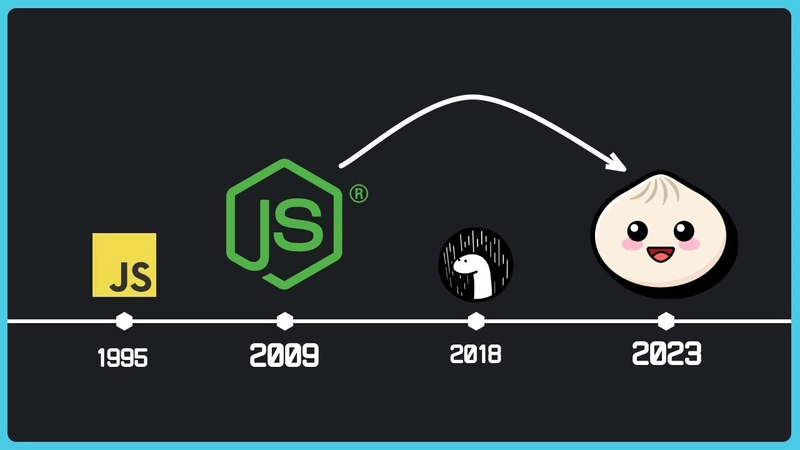
The JavaScript ecosystem is in a constant state of evolution, with new tools and runtimes emerging to challenge the status quo. For years, Node.js has been the undisputed king of server-side JavaScript, supported by a vast ecosystem of tools for package management (npm, Yarn), bundling (Webpack, Vite), and testing (Jest, Mocha). However, this fragmented toolchain often leads to complex configurations and slower development cycles. Enter Bun, a groundbreaking all-in-one JavaScript runtime and toolkit designed from the ground up for speed and simplicity. It’s not just another runtime; it’s a cohesive ecosystem that aims to replace multiple tools with a single, blazing-fast binary.
This article provides a comprehensive technical deep dive into Bun. We’ll explore its core architecture, demonstrate how to build high-performance applications with it, and cover advanced features that set it apart. Whether you’re a seasoned developer keeping up with the latest Node.js News or a newcomer looking for the most efficient way to build modern web applications, understanding Bun is essential. Its impact is already being felt across the landscape, influencing everything from React News to backend framework development, making it a critical topic for any modern developer.
Understanding Bun’s Core Philosophy: Speed and Simplicity
Bun’s primary goal is to make JavaScript development faster, both in terms of runtime performance and developer experience. It achieves this by integrating essential tools directly into its core and by being built on a modern, low-level tech stack.
The Blazing-Fast Runtime
Unlike Node.js and Deno, which are built on Google’s V8 engine, Bun uses Apple’s JavaScriptCore. While V8 is highly optimized, JavaScriptCore is known for its faster startup times, which contributes significantly to Bun’s performance, especially for CLI tools and serverless functions. Furthermore, Bun is written in Zig, a low-level programming language that allows for fine-grained memory control and avoids the overhead of a garbage collector in many parts of the runtime. This results in dramatically faster I/O operations and overall execution speed. The latest Bun News consistently showcases benchmarks where it outperforms its predecessors by a significant margin.
Creating an HTTP server in Bun is a perfect example of its streamlined API:
// server.ts
// To run: bun run server.ts

const server = Bun.serve({
  port: 3000,
  fetch(req) {
    const url = new URL(req.url);
    if (url.pathname === "/") {
      return new Response("Welcome to the Bun server!");
    }
    if (url.pathname === "/api/data") {
      return Response.json({ message: "Hello from Bun!" });
    }
    return new Response("404 Not Found", { status: 404 });
  },
});

console.log(`Listening on http://localhost:${server.port}`);
An Integrated Toolkit
Bun isn’t just a runtime; it’s a complete toolkit that replaces several common development tools:
- Package Manager:
bun installis an npm-compatible package manager that is orders of magnitude faster than npm, Yarn, or pnpm. It achieves this through a global module cache and optimized dependency resolution. - Test Runner:
bun testis a Jest-compatible test runner with built-in support for TypeScript and JSX. It’s incredibly fast due to its architecture and minimal overhead, providing a compelling alternative in the world of Jest News and Vitest News. - Bundler:
bun buildis a fast and efficient bundler that can be used to package your code for the browser or other runtimes. It offers performance that competes with modern tools discussed in Vite News and Turbopack News.
This all-in-one approach simplifies project setup and CI/CD pipelines, as you only need to install and manage a single tool.
Building a High-Performance API with Bun and ElysiaJS
While Bun can run many existing Node.js frameworks like Express.js, its true power shines when paired with modern frameworks designed to leverage its performance. ElysiaJS is a prime example—a fast, ergonomic, and type-safe framework built specifically for Bun.

Project Setup and Basic Routing
Getting started with ElysiaJS is incredibly simple thanks to Bun’s scaffolding capabilities. You can create a new project with a single command:
bun create elysia my-elysia-app
cd my-elysia-app
bun install
Now, let’s create a simple REST API. Elysia’s syntax is intuitive and leverages standard web APIs. Bun’s native support for TypeScript means you get type safety and autocompletion out of the box, a major topic in recent TypeScript News.
Here’s an example of a simple API with GET and POST routes in src/index.ts:
// src/index.ts
import { Elysia, t } from 'elysia';

interface Book {
  id: number;
  title: string;
  author: string;
}

// In-memory database for demonstration
const db: Book[] = [
  { id: 1, title: "The Hitchhiker's Guide to the Galaxy", author: "Douglas Adams" },
  { id: 2, title: "1984", author: "George Orwell" },
];
let nextId = 3;

const app = new Elysia()
  .get('/', () => ({ message: 'Welcome to the Elysia Book API' }))
  .get('/books', () => db)
  .get('/books/:id', ({ params: { id } }) => {
    const book = db.find(b => b.id === parseInt(id));
    if (!book) {
      return new Response('Book not found', { status: 404 });
    }
    return book;
  })
  .post(
    '/books',
    ({ body }) => {
      const newBook: Book = {
        id: nextId++,
        title: body.title,
        author: body.author,
      };
      db.push(newBook);
      return newBook;
    },
    {
      // Elysia provides built-in validation
      body: t.Object({
        title: t.String(),
        author: t.String(),
      }),
    }
  )
  .listen(3000);

console.log(
  `🦊 Elysia is running at http://${app.server?.hostname}:${app.server?.port}`
);
In this example, we define routes for fetching all books, a specific book by ID, and adding a new book. Elysia’s built-in validation with t.Object ensures that the POST request body has the correct shape, preventing runtime errors and improving API robustness. This level of integration is a significant step forward from older frameworks like Express.js, a frequent topic in Express.js News.
Diving into Advanced Bun Features
Bun’s capabilities extend far beyond being a simple runtime. Its built-in APIs for common tasks are highly optimized and offer a superior developer experience.
Optimized File I/O
File handling in Bun is a great example of its performance-first design. The Bun.file() API provides a simple and incredibly fast way to read and write files, far outperforming Node.js’s fs module for many common use cases. It lazily loads files, meaning memory is only used when the file content is actually accessed.
Here’s how you can easily read a JSON file and write a text file:
// file-io.ts
// To run: bun run file-io.ts

// Assume config.json exists with: { "version": "1.0.0" }
const configFile = Bun.file('config.json');

// Read and parse JSON content
const configData = await configFile.json();
console.log(`Config version: ${configData.version}`);

// Write data to a new file
const outputContent = `Log entry: ${new Date().toISOString()}\n`;
await Bun.write('app.log', outputContent);

console.log('Successfully wrote to app.log');
This concise API simplifies scripts and backend services that rely heavily on file system interactions.
Built-in SQLite Database
One of Bun’s most powerful and unique features is its built-in, high-performance SQLite driver. This eliminates the need for external dependencies for simple to moderately complex database needs. The bun:sqlite module is fast, easy to use, and perfect for applications that don’t require a large, dedicated database server.

Let’s integrate it into our Elysia API to replace the in-memory array:
// src/db-index.ts
import { Elysia, t } from 'elysia';
import { Database } from 'bun:sqlite';

// Initialize the database
const db = new Database('books.sqlite', { create: true });

// Create table if it doesn't exist
db.run(
  'CREATE TABLE IF NOT EXISTS books (id INTEGER PRIMARY KEY AUTOINCREMENT, title TEXT, author TEXT)'
);

const app = new Elysia()
  .get('/books', () => {
    const query = db.query('SELECT * FROM books');
    return query.all();
  })
  .post(
    '/books',
    ({ body }) => {
      const query = db.query('INSERT INTO books (title, author) VALUES ($title, $author) RETURNING *');
      const newBook = query.get({ $title: body.title, $author: body.author });
      return newBook;
    },
    {
      body: t.Object({
        title: t.String(),
        author: t.String(),
      }),
    }
  )
  .listen(3000);

console.log(
  `🦊 Elysia with SQLite is running at http://${app.server?.hostname}:${app.server?.port}`
);
This seamless integration of a performant database driver is a game-changer, simplifying the stack for many projects, from small APIs to full-stack applications built with frameworks like Svelte or those discussed in Next.js News and Remix News.
Best Practices and Deployment
To get the most out of Bun, it’s important to adopt practices that align with its design principles and understand how to prepare your application for production.
Embrace the All-in-One Toolkit
The most significant shift when moving to Bun is to lean into its integrated nature. Instead of juggling npm, nodemon, jest, and webpack, use Bun’s native commands:
- Development: Use
bun --watch run <file>for automatic server restarts. - Dependencies: Stick with
bun install,bun add, andbun removefor managing packages. - Testing: Write your tests in files like
*.test.tsand run them with the simplebun testcommand. - Bundling: For front-end assets or creating a standalone executable, use
bun build ./src/index.ts --outdir ./build. This is a powerful feature for developers following React News or Vue.js News who want a faster build process.
Node.js Compatibility and Migration
Bun aims for high compatibility with the Node.js API, and many existing applications and libraries work out of the box. However, it’s not a 1:1 drop-in replacement. Some native Node.js modules may have subtle differences or be unimplemented. When migrating an existing project (e.g., from Express.js News or Fastify News), it’s crucial to test thoroughly. For maximum performance, gradually refactor parts of your application to use Bun’s native APIs (like Bun.file or Bun.serve) where possible.
Deploying a Bun Application with Docker
Containerizing your Bun application for production is straightforward. Bun provides official Docker images that are lightweight and optimized.
Here is a simple, multi-stage Dockerfile for a production-ready build:
# ---- Base Stage ----
# Use the official Bun image
FROM oven/bun:1.0 as base
WORKDIR /usr/src/app

# ---- Dependencies Stage ----
FROM base as install
# Install dependencies
COPY package.json bun.lockb ./
RUN bun install --frozen-lockfile

# ---- Build Stage ----
# If you have a build step (e.g., for a frontend)
# FROM install as build
# COPY . .
# RUN bun run build

# ---- Production Stage ----
FROM base as production
COPY --from=install /usr/src/app/node_modules /usr/src/app/node_modules
COPY . .

# Expose the port your app runs on
EXPOSE 3000

# Set the command to run your app
# Use the --bun flag to ensure Bun's APIs are used
CMD ["bun", "--bun", "run", "src/index.ts"]
This Dockerfile ensures a lean production image by separating dependency installation from the final runtime environment, a standard best practice for secure and efficient deployments.
Conclusion: The Future is Fast
Bun represents a significant leap forward for the JavaScript ecosystem. By integrating a runtime, package manager, test runner, and bundler into a single, cohesive tool, it drastically simplifies the developer workflow and delivers unparalleled performance. Its focus on speed, from fast I/O and native TypeScript support to a built-in SQLite driver, empowers developers to build more efficient and robust applications.
While Node.js remains a stable and mature platform, the momentum behind Bun is undeniable. As its ecosystem and Node.js compatibility continue to improve, it is poised to become a dominant force in web development. For your next project, whether it’s a backend API, a command-line tool, or a full-stack application, consider giving Bun a try. The speed and simplicity it offers might just revolutionize the way you write JavaScript.