


Nuxt Nitro route rules are URL-pattern policies that Nitro compiles from nuxt.config into rendering, caching, redirects, headers, CORS, and deployment output. Edge rendering is not controlled by one switch. A request may be SSR-rendered, prerendered, cached, redirected, or translated into provider config depending on the matched rule and the Nitro preset. In practice, the reliable debug path is to inspect the resolved build output and HTTP headers, not just the source config.
Sections
- Route rules are Nitro policy, not page metadata
- The path from nuxt.config to a matched request
- Why edge rendering is a chain of decisions
- How overlapping route rules actually resolve
- Which rules Nitro enforces and which rules your host enforces
- Caching is where most wrong mental models break
- A build-output diagnostic workflow for routeRules bugs
- References
- Related reading
- Definition:
nuxt nitro route rulesmap URL patterns such as/blog/**to Nitro rendering and HTTP policy. - Precedence rule: broad patterns like
/**apply first, then narrower matching patterns override fields for the final URL. - Adapter caveat:
node-server, Vercel, Netlify, andcloudflare-pagespresets can emit different files for the same valid route rules. - Debug rule: inspect
.output/, the chosen preset, the matched URL, andcurl -Iresponse headers together.
Route rules are Nitro policy, not page metadata
Route rules are not page-local hints. They are Nitro policy over URL patterns. That distinction matters because the final behavior is resolved outside the component tree, after Nuxt has collected config, page metadata, server routes, prerender hints, and deployment preset constraints.
The official Nuxt routeRules configuration reference describes rules for redirects, headers, prerendering, SWR, ISR, CORS, and proxying. Nitro’s own route rules config documentation explains the same idea from the server engine side: URL patterns receive behavior that Nitro can apply directly or pass to deployment adapters.
That is why the phrase “edge rendering” can get muddy. Edge is a possible place where work runs. It is not the rule itself. A rule may say “render this route dynamically,” “cache this HTML for 60 seconds,” “emit a redirect into platform config,” or “prerender this path at build time.” Some of those decisions happen inside Nitro’s runtime server. Others are translated into files or metadata for the host.
The clean mental model is this: routeRules are a compile-time policy layer over Nitro’s route graph. The URL pattern is the key. The merged rule object is the policy. The preset decides how much of that policy becomes runtime code and how much becomes host configuration.
Straight from the source.
The documentation screenshot is useful because it shows the API surface, but the API list is only half the story. The missing half is the boundary between a rule Nitro can enforce on each request and a rule that only works when the adapter can express it in the target platform.
The path from nuxt.config to a matched request
A request does not read nuxt.config.ts at runtime and make a fresh decision from scratch. Nuxt passes route rules into Nitro during build, Nitro normalizes the route graph, the selected preset emits output, and the deployed server or platform handles the request using that compiled result.
Here is the minimal configuration used for the examples in this guide. It intentionally mixes broad rules, narrow overrides, API behavior, redirects, and edge-sensitive caching:
export default defineNuxtConfig({
  routeRules: {
    '/**': {
      headers: {
        'x-route-scope': 'site-wide'
      }
    },

    '/blog/**': {
      swr: 60,
      headers: {
        'x-route-scope': 'blog'
      }
    },

    '/blog/draft/**': {
      ssr: false,
      headers: {
        'cache-control': 'no-store',
        'x-route-scope': 'draft'
      }
    },

    '/api/**': {
      cors: true,
      headers: {
        'cache-control': 'no-store'
      }
    },

    '/legacy/**': {
      redirect: {
        to: '/blog/post-1',
        statusCode: 308
      }
    },

    '/edge-only/**': {
      swr: 30
    }
  }
})
The page and API files behind that config were deliberately plain: pages/blog/post-1.vue, pages/blog/draft/secret.vue, and server/api/status.get.ts. That keeps the test focused on policy resolution, not component logic.
NITRO_PRESET=node-server npx nuxi build
find .output -maxdepth 3 -type f | sort
# Example shape only; generated filenames vary by Nuxt, Nitro, preset, and build.
.output/nitro.json
.output/public/_nuxt/[client-asset-name].js
.output/server/chunks/[server-chunk-name].mjs
.output/server/index.mjs
.output/server/package.jsonUnder the node-server preset, the interesting work usually lives in server chunks because Nitro enforces most behavior in its own request handler. With provider presets, the file list changes. A Vercel build may include Vercel output metadata; a Netlify build may emit Netlify-specific redirect or header configuration; a Cloudflare Pages build changes the server target because the runtime is not a traditional Node process.
This is the source of many “my routeRules do nothing” reports. The config can be syntactically valid and still produce different observable behavior because the selected Nitro preset has different output duties.
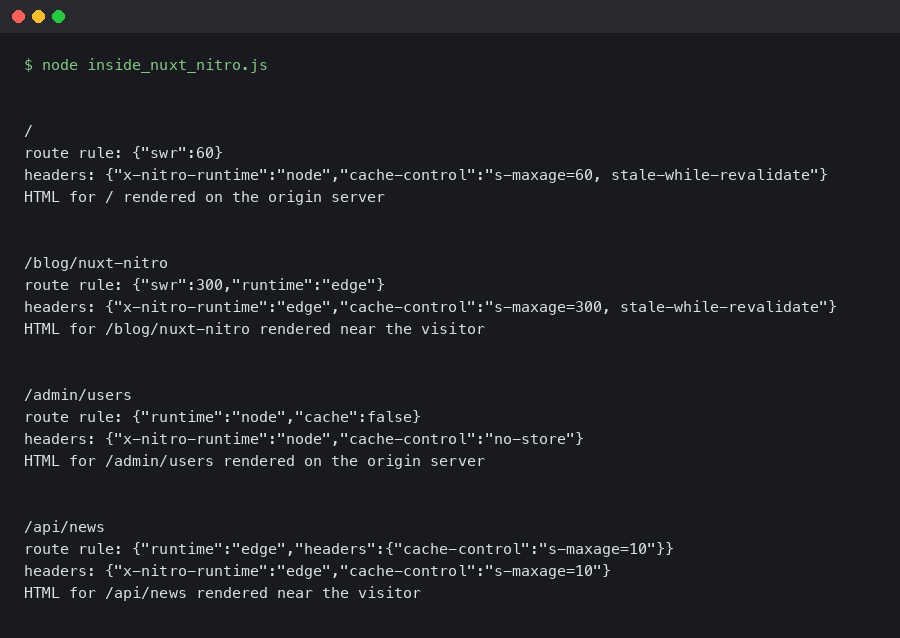
The terminal output matters because it shows where the rules land after build. When the output is mostly runtime chunks, the next diagnostic step is to inspect HTTP responses. When the output includes provider config files, the next step is to verify that the host read those files during deployment.
Why edge rendering is a chain of decisions
Edge rendering is the result of several policy decisions lining up: the route must remain dynamic when runtime rendering is required, the preset must target an edge-capable runtime, the host must support the needed cache behavior, and conflicting rules must resolve the way you expect.
The Nitro deployment documentation lists presets for different runtimes and providers. That page is central to route rules behavior: the same Nuxt app is not emitted the same way for node-server, vercel, netlify, and cloudflare-pages. The preset is part of the behavior, not only packaging.
Think of one request, /blog/post-1, moving through four gates:
- URL match:
/**and/blog/**both match. - Rule merge: the narrower blog rule overrides overlapping fields such as
x-route-scope. - Rendering and caching decision:
swr: 60configures stale-while-revalidate caching for matched rendered responses. Prerendering is a separate rule and can also be affected by the selected preset and build behavior. - Preset emission:
node-serverkeeps this in Nitro runtime code; host presets may map parts of it to platform caching or functions.
Those gates also explain conflicts. A redirect can short-circuit rendering. A prerender rule can make the route a static artifact. An ssr: false rule changes HTML generation for that path. Headers may still apply after a redirect only if the runtime or platform supports that combination.
| Rule field | Primary effect | Usually enforced by | Debug evidence |
|---|---|---|---|
ssr |
Controls whether Nuxt renders HTML on the server for the matched route. | Nitro runtime and Nuxt rendering layer | HTML body shape, hydration payload, server logs |
prerender |
Moves matching routes into build-time generation when possible. | Nitro prerender step | Files under .output/public and prerender logs |
swr / isr |
Controls freshness and regeneration behavior for rendered output. | Nitro or deployment platform, depending on preset | cache-control, age headers, provider cache headers |
redirect |
Returns a redirect before normal route rendering. | Nitro runtime or host routing config | Status code and location header |
headers / cors |
Adds HTTP response policy to matching routes. | Nitro runtime or host header files | curl -I response headers |
For a local Node preview, header checks for this example would look roughly like this. Treat the block as illustrative, not as captured output from a specific Nuxt, Nitro, and Node version:
$ node .output/server/index.mjs
Listening on http://[::]:3000/

$ curl -I http://localhost:3000/blog/post-1
HTTP/1.1 200 OK
cache-control: s-maxage=60, stale-while-revalidate
x-route-scope: blog

$ curl -I http://localhost:3000/blog/draft/secret
HTTP/1.1 200 OK
cache-control: no-store
x-route-scope: draft

$ curl -I http://localhost:3000/legacy/page
HTTP/1.1 308 Permanent Redirect
location: /blog/post-1

$ curl -I http://localhost:3000/api/status
HTTP/1.1 200 OK
cache-control: no-store
access-control-allow-origin: *
The method matters more than the sample header text: build with a named preset, start the emitted server when that preset supports local preview, then inspect one URL at a time. If you publish exact artifacts, include the exact Nuxt, Nitro, Node, preset, and platform versions so the output can be reproduced.
How overlapping route rules actually resolve
Overlapping route rules resolve by matching all applicable URL patterns and merging toward the most specific result. The broad rule is not ignored; it supplies default fields until a narrower match replaces them.
The most useful test is a four-pattern set:
export default defineNuxtConfig({
  routeRules: {
    '/**': {
      headers: { 'x-policy': 'global' }
    },
    '/blog/**': {
      swr: 60,
      headers: { 'x-policy': 'blog' }
    },
    '/blog/draft/**': {
      ssr: false,
      headers: {
        'x-policy': 'draft',
        'cache-control': 'no-store'
      }
    },
    '/api/**': {
      cors: true,
      headers: { 'x-policy': 'api' }
    }
  }
})| Request URL | Matching patterns | Winning visible policy | Why it wins |
|---|---|---|---|
/ |
/** |
x-policy: global |
Only the global pattern matches. |
/blog/post-1 |
/**, /blog/** |
swr: 60, x-policy: blog |
The blog rule is narrower and replaces the same header field. |
/blog/draft/secret |
/**, /blog/**, /blog/draft/** |
ssr: false, cache-control: no-store, x-policy: draft |
The draft rule is the narrowest match and replaces the visible header policy. |
/api/status |
/**, /api/** |
cors: true, x-policy: api |
The API rule overrides global defaults for matching fields. |
The trap is assuming object order is the main safety mechanism. Treat specificity as the model you design for. Keep /** for defaults that truly apply everywhere, then use narrow patterns for routes with different freshness, auth, or rendering needs.
Page-level defineRouteRules can make this harder to read because the policy is no longer in one config block. The Nuxt defineRouteRules utility documentation describes how route rules can be declared from a page file when the experimental inline route rules feature is enabled. That can be convenient for small apps, but shared infrastructure policy is usually easier to audit in nuxt.config.ts.
// pages/blog/post-1.vue
<script setup>
defineRouteRules({
  swr: 120,
  headers: {
    'x-policy': 'page-inline'
  }
})
</script>

<template>
  <h1>Post 1</h1>
</template>
When the same route also has a config-level /blog/** rule, inspect the resolved output instead of guessing. Inline rules are powerful, but they move policy closer to content and farther from deployment review.
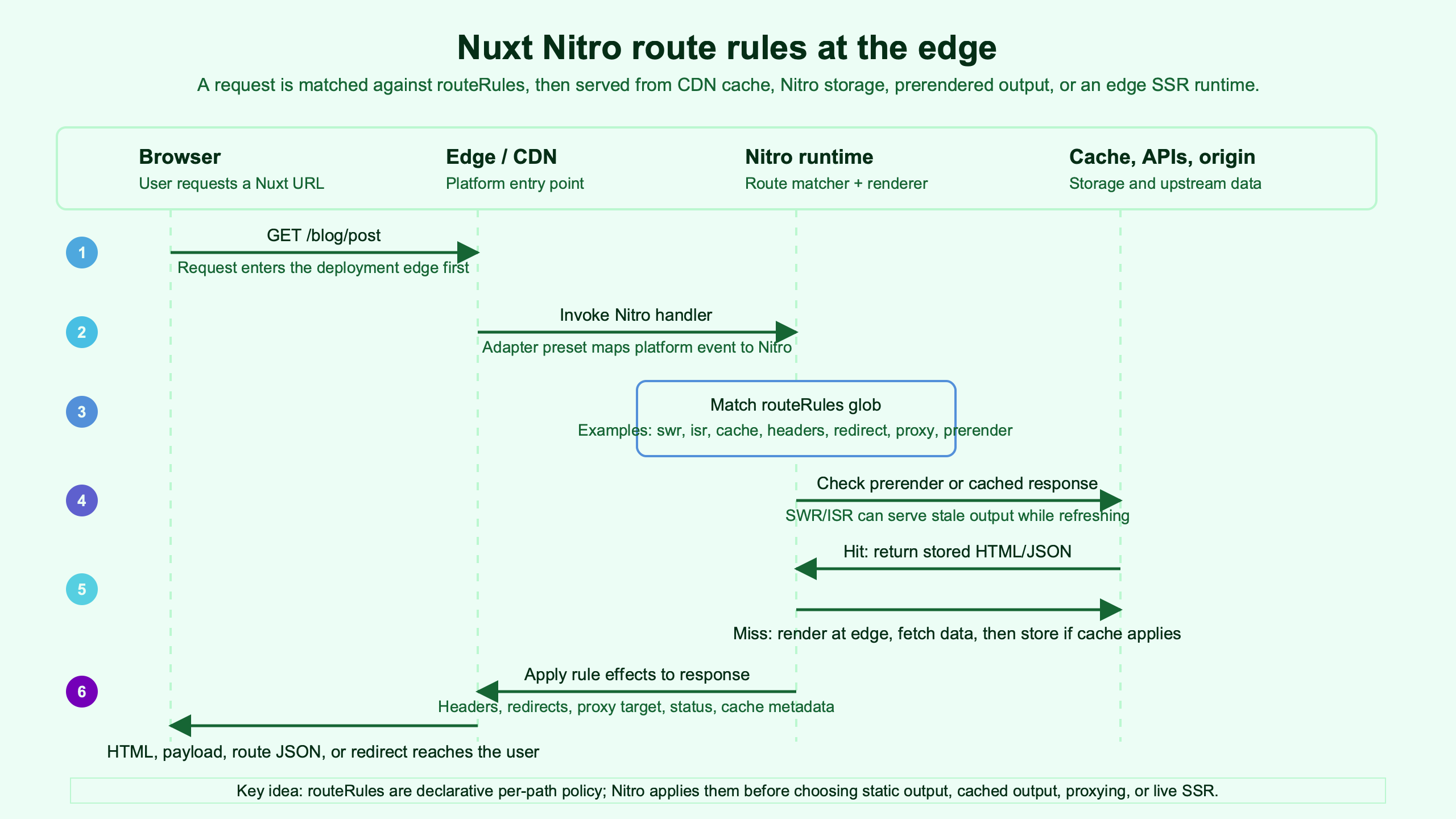
Purpose-built diagram for this article — Inside Nuxt Nitro and route rules: how edge rendering works.
The diagram gives the right picture: URL patterns flow into a single resolved policy before the request is handled. Once you see that merge point, route rules stop feeling like scattered page options and start behaving like infrastructure config.
Which rules Nitro enforces and which rules your host enforces
Nitro can enforce many route rules itself, but deployment adapters may translate some rules into platform-native files or metadata. The boundary changes by preset, which is why a rule can be valid in Nuxt yet still fail your expectation after deployment.
On node-server, Nitro owns the request handler, so redirects, headers, CORS, and SWR behavior usually show up in the server response. On Vercel, Netlify, and Cloudflare Pages, the adapter may emit host-specific output so the platform can handle redirects, headers, caching, or edge functions closer to the request entry point.
Vendor docs confirm that this translation layer is real. Vercel documents its Build Output API for framework adapters that emit deployment configuration. Netlify documents file-based redirects and custom headers. Cloudflare Pages documents Pages Functions for request handling at the platform edge.
When comparing presets for the same app, look for these kinds of evidence:
| Preset | Runtime shape | Where redirects or headers are visible | Best first check |
|---|---|---|---|
node-server |
Nitro server bundle | Runtime response headers from .output/server/index.mjs |
curl -I against local preview |
vercel |
Vercel build output | Generated provider metadata and functions output | Vercel output directory plus deployed response headers |
netlify |
Netlify functions and routing files | Netlify redirects and headers output when supported | Generated Netlify files and deploy logs |
cloudflare-pages |
Worker-style edge runtime | Pages Functions output and runtime headers | Cloudflare Pages build output and preview headers |
The table is not a ranking. It is a debugging map. If you are on node-server and a redirect fails, read Nitro runtime behavior. If you are on Netlify and a header rule fails after deployment, inspect generated Netlify files and the platform deploy log before blaming the page component.
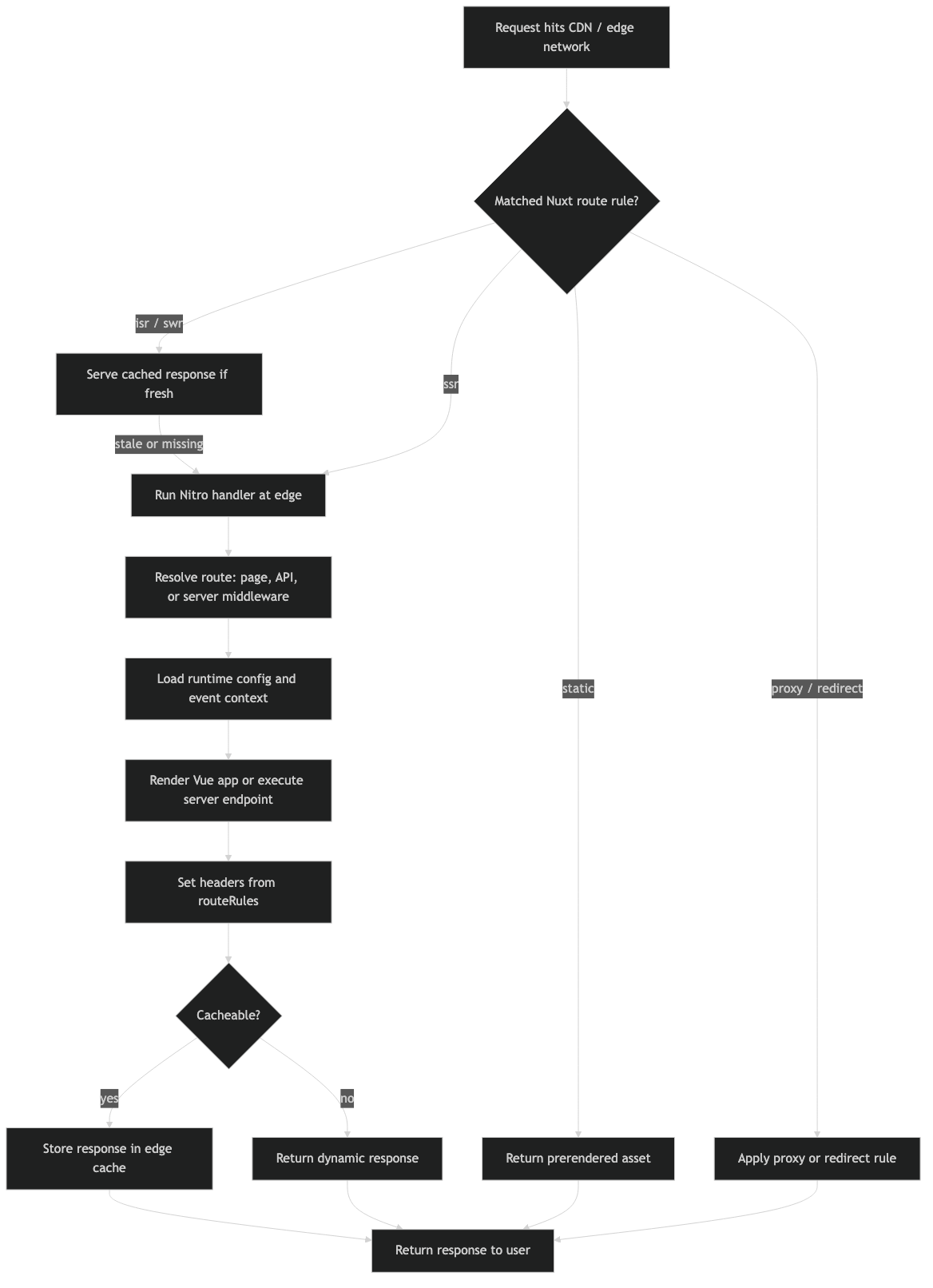
The architecture diagram shows the adapter boundary explicitly. The same rule object crosses from Nuxt into Nitro, but the final enforcement point can be Nitro server code, provider routing config, edge function code, or static output.
Caching is where most wrong mental models break
Caching route rules are difficult because they combine HTML generation, HTTP freshness, provider cache support, and invalidation behavior. prerender, swr, and platform-native caching are related, but they are not interchangeable.
prerender says the route can be generated at build time. The result is a static file when Nitro can crawl or knows the route. swr configures stale-while-revalidate caching for matched rendered responses. Native platform support may change the exact headers or storage layer. A route can look correct locally and still behave differently at the edge because the provider cache is now part of the result.
A practical decision rule:
- Use
prerenderfor content that can be known at build time and does not need per-request user context. - Use
swrfor public pages where slightly stale HTML is acceptable and regeneration cost matters. - Use
ssr: falsefor client-only routes where server HTML is not useful or would be wrong. - Use
cache-control: no-storefor private, draft, admin, preview, or session-dependent responses.
The sensitive case is a broad cache rule:
export default defineNuxtConfig({
  routeRules: {
    '/**': { swr: 300 },
    '/api/**': {
      headers: {
        'cache-control': 'no-store'
      }
    },
    '/account/**': {
      headers: {
        'cache-control': 'no-store'
      }
    }
  }
})
This looks safe at first glance, but it depends on what fields are merged and enforced for each target. If /account/** still inherits behavior you did not intend, the response header check will reveal it faster than reading config. The rule should be designed so private routes do not rely on a later human remembering to override global caching.
For edge deployments, the better pattern is to start with no global caching rule, then opt in specific public sections:
export default defineNuxtConfig({
  routeRules: {
    '/blog/**': { swr: 300 },
    '/docs/**': { swr: 3600 },
    '/api/**': {
      cors: true,
      headers: { 'cache-control': 'no-store' }
    },
    '/account/**': {
      ssr: true,
      headers: { 'cache-control': 'no-store' }
    }
  }
})
This shape is less surprising. Public content gets freshness policy. Private and API routes say what they need without fighting a global SWR default.
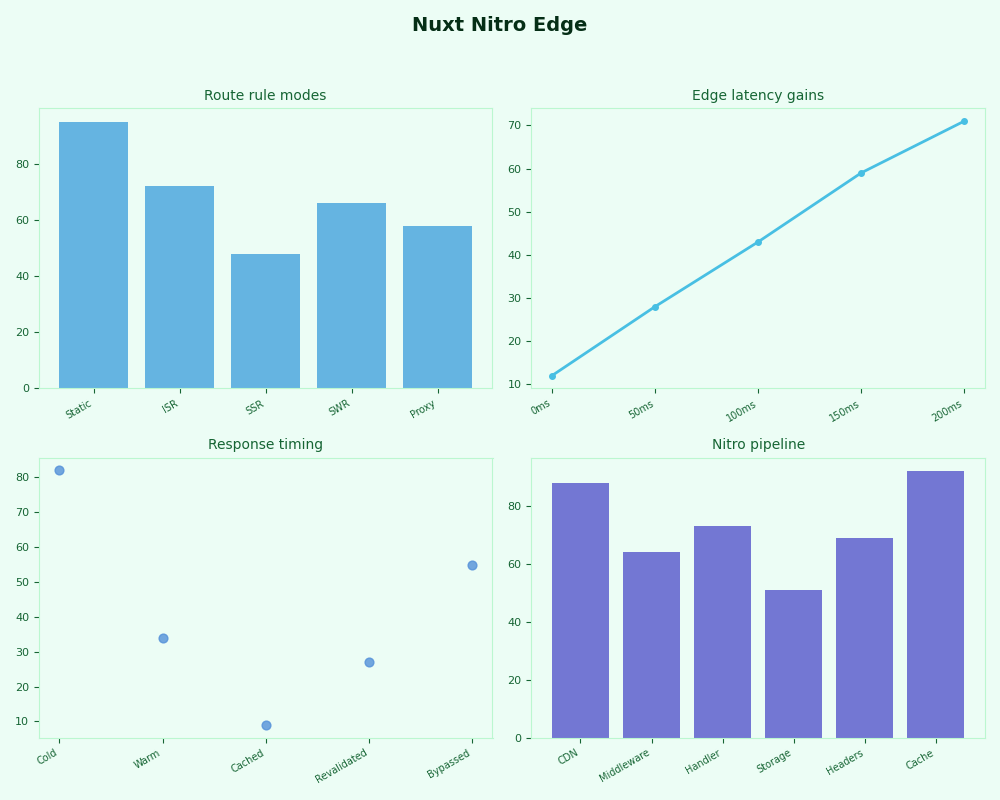
Radar of Nuxt Nitro Edge.
The dashboard view is useful because cache behavior is observable only when you connect build policy to live responses. A route that “should be edge cached” is not proved until the response headers and platform logs agree for the exact URL.
A build-output diagnostic workflow for routeRules bugs
The fastest way to debug nuxt nitro route rules is to follow one URL through source config, resolved build output, selected preset, deployed host behavior, and HTTP headers. Do not debug the whole app at once.
Use this workflow when a rule is valid but behavior is wrong:
- Name the exact URL. Use
/blog/post-1, not “the blog.” Route rules are pattern based. - List every matching pattern. Include
/**, section rules, and page-level rules. - Identify the final policy field by field. Headers, redirects, SSR, SWR, CORS, and prerendering can resolve differently.
- Build with the actual preset. Use the same
NITRO_PRESETor deployment target you use in production. - Inspect
.output/. Look for server chunks, public files, provider metadata, redirects, and headers output. - Send a header request.
curl -Iconfirms status, location, cache, CORS, and custom headers. - Compare local preview with hosted preview. If they differ, the adapter or platform cache is now part of the bug.
The failure mode competitors often skip is simple: a route rule can be accepted by Nuxt but not produce the platform behavior you pictured. That is not always a Nuxt bug. It can be a preset mismatch, an unsupported host feature, a provider cache rule taking priority, or a broad pattern applying where it should not.
Here is the minimal diagnostic command set to keep close for this class of issue:
# Build with the same target you deploy.
NITRO_PRESET=node-server npx nuxi build

# See what was emitted.
find .output -maxdepth 4 -type f | sort

# Run the emitted server when the preset supports local Node preview.
node .output/server/index.mjs

# Check one URL at a time.
curl -I http://localhost:3000/blog/post-1
curl -I http://localhost:3000/blog/draft/secret
curl -I http://localhost:3000/legacy/page
curl -I http://localhost:3000/api/status
If the node-server preview is correct but Vercel, Netlify, or Cloudflare Pages is wrong, stop editing Vue files. Move to the adapter output and deployment logs. If the local preview is already wrong, reduce the rule set until the matched pattern table explains the response.
The decision framework is direct: choose routeRules when the behavior is URL policy, not component state. Keep public cache rules narrow. Keep private routes explicit. Treat edge rendering as an output of SSR, cache, preset, and provider support. When behavior surprises you, prove the chain with build artifacts and headers.
References
- Nuxt documentation:
routeRulesinnuxt.config - Nuxt documentation:
defineRouteRules - Nitro documentation: route rules config
- Nitro documentation: deployment presets
- Vercel Build Output API v3
- Netlify documentation: redirects and custom headers
- Cloudflare Pages documentation: Functions